K2401_NWD Allwinner A133 | Dual Knobs | Platform K24
K2401_NWD Dual Knobs Diamond Series Android Car Headunit Stuck on Android Logo or bootloop? Here’s How We Fixed It
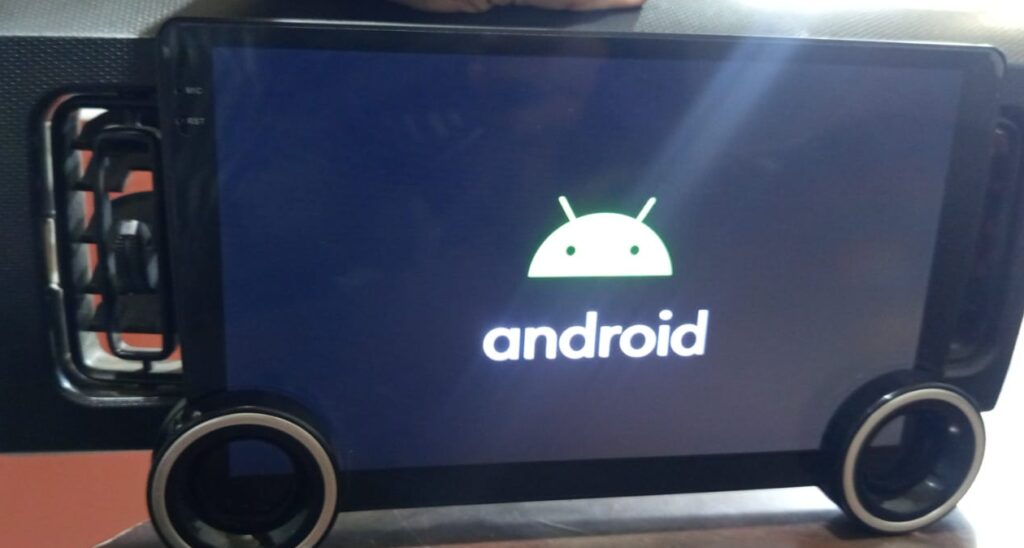
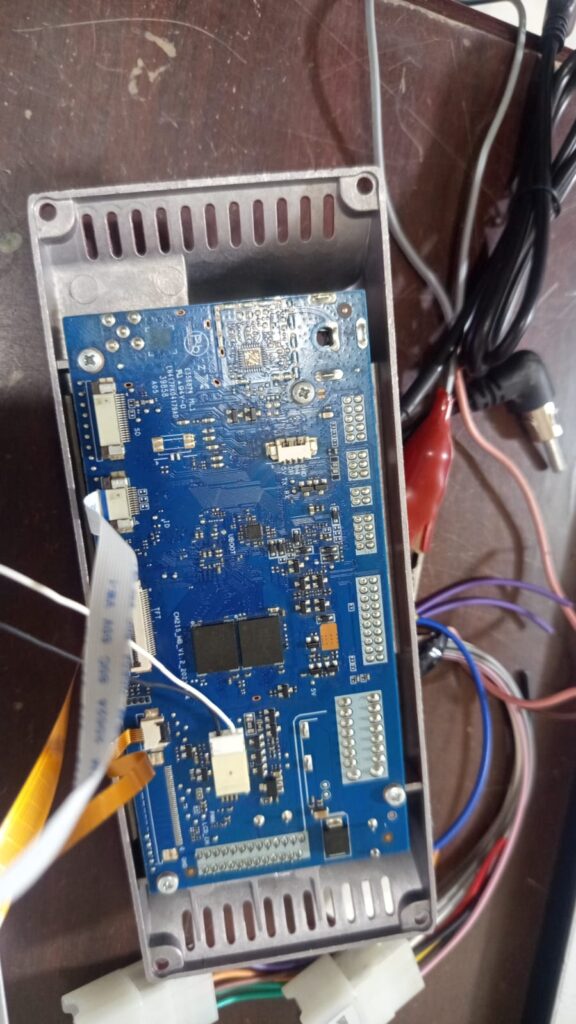
A customer contacted ANNS Solutions after their K2401 Android Head Unit became stuck on the Android logo following a firmware update. Upon inspection, we identified the motherboards as CM215_MB_V1.2, CM215_MB_V1.4 powered by the Allwinner A133 chipset with a 2GB RAM + 32GB storage configuration.
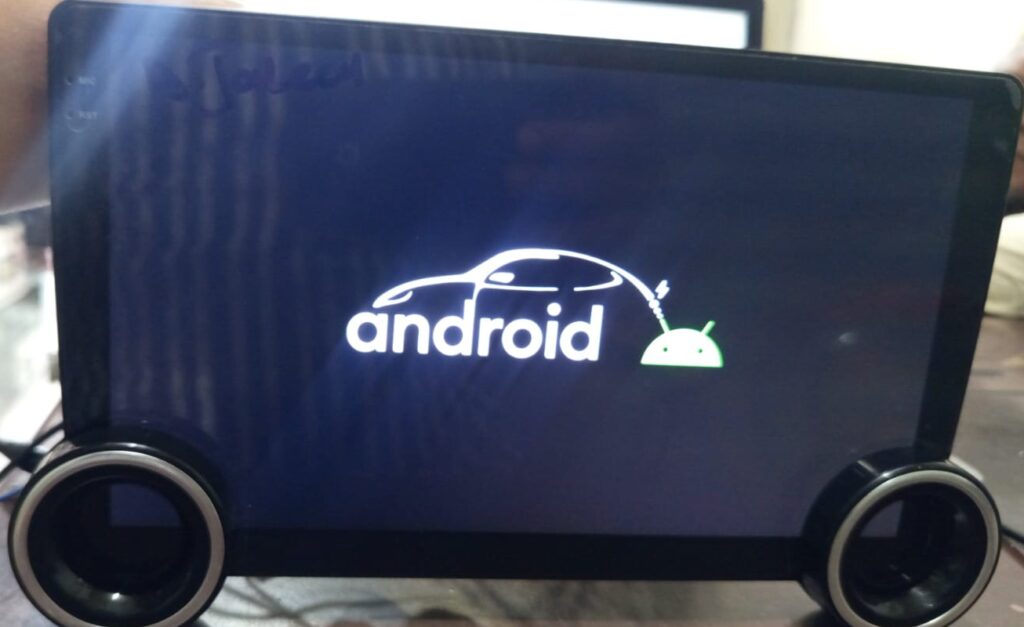
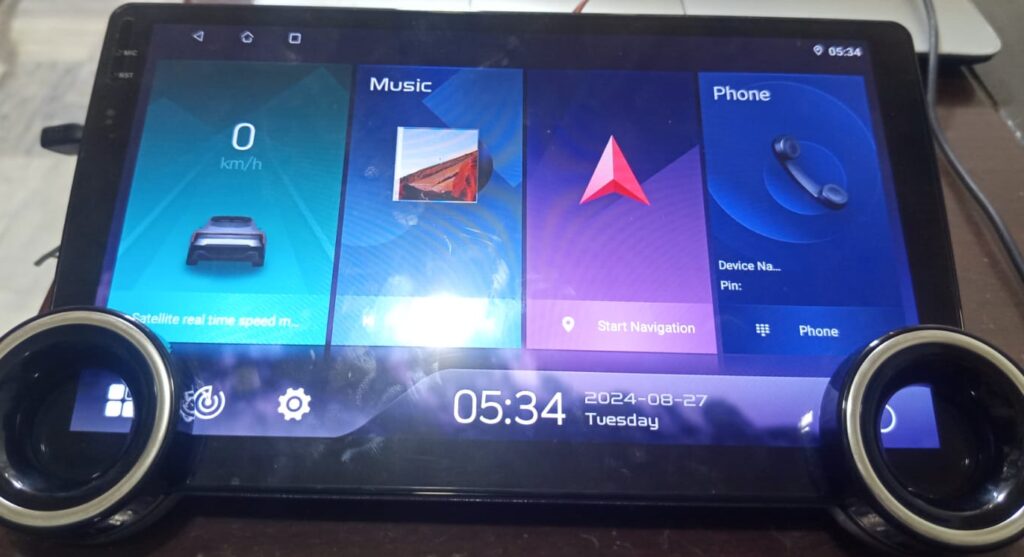
The customer had previously installed an incompatible firmware, causing the head unit to remain on the boot logo. Although the device eventually booted after further attempts, it displayed an incorrect user interface that did not support the dual-knob hardware, leaving several features non-functional.
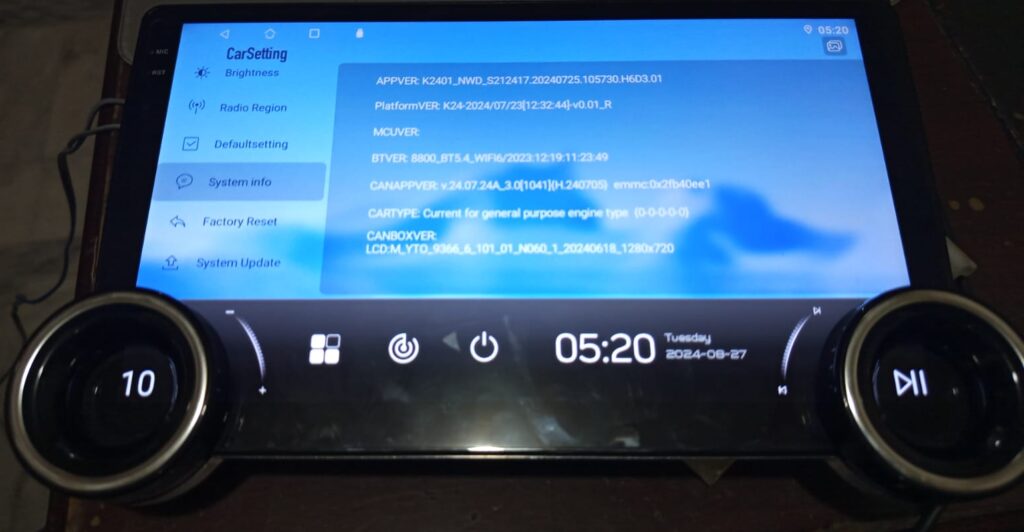
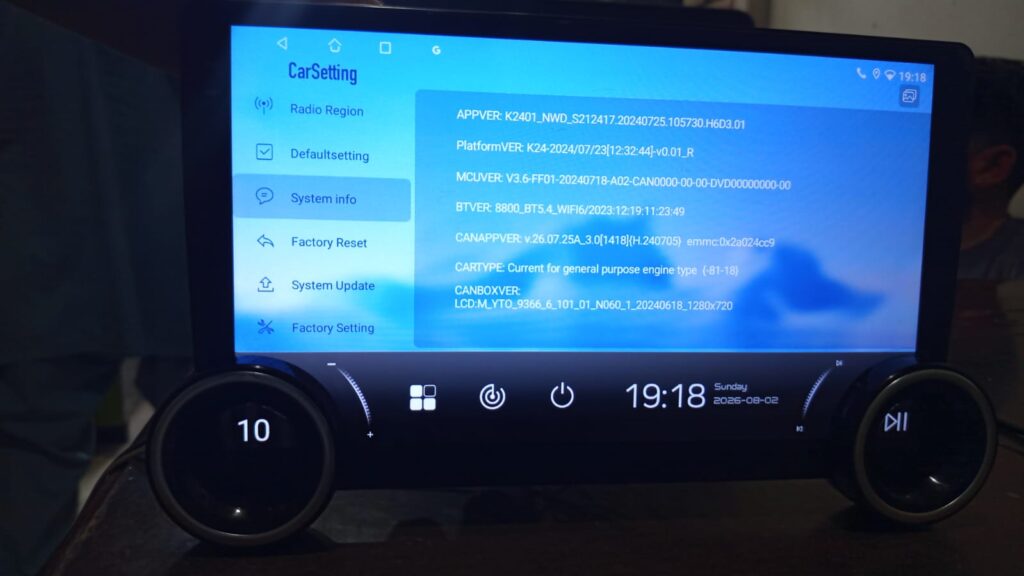
After verifying the motherboard, chipset, hardware configuration, and firmware compatibility, we selected the correct K2401_NWD USB firmware designed for the Diamond dual-knob variant. The firmware was successfully installed via USB, restoring the original user interface, proper dual-knob functionality, and stable system operation.
Technical Specifications
| Component | Details |
|---|---|
| Platform | K2401_NWD |
| Motherboard | CM215_MB_V1.2 | CM215_MB_V1.4 |
| Chipset | Allwinner A133 |
| RAM | 2GB |
| Storage | 32GB eMMC |
| Display Resolution | 1280 × 720 |
| Issue | Stuck on Android logo after wrong firmware update |
| Additional Problem | Incorrect UI without dual-knob support |
| Solution | Installed the correct K2401_NWD USB firmware |
| Result | Boot restored, original Diamond UI recovered, dual knobs working correctly |
Problem Analysis
The customer had installed firmware that was not fully compatible with the hardware variant.
As a result, the head unit experienced multiple software issues:
- Stuck on the Android boot logo
- Failed to boot into Android
- Incorrect firmware installed
- Wrong user interface (UI)
- Missing dual-knob support
- Unstable system operation
Although the unit was still detectable, the installed software package was designed for a different hardware configuration. Installing mismatched firmware is one of the most common reasons Android head units become stuck on the logo screen or enter a boot loop.
Diagnosis Process
Instead of flashing random firmware files, we carefully verified every hardware detail before proceeding.
Our diagnosis included:
- Identifying the motherboard (CM215_MB_V1.2)
- Confirming the Allwinner A133 processor
- Checking the RAM and storage configuration
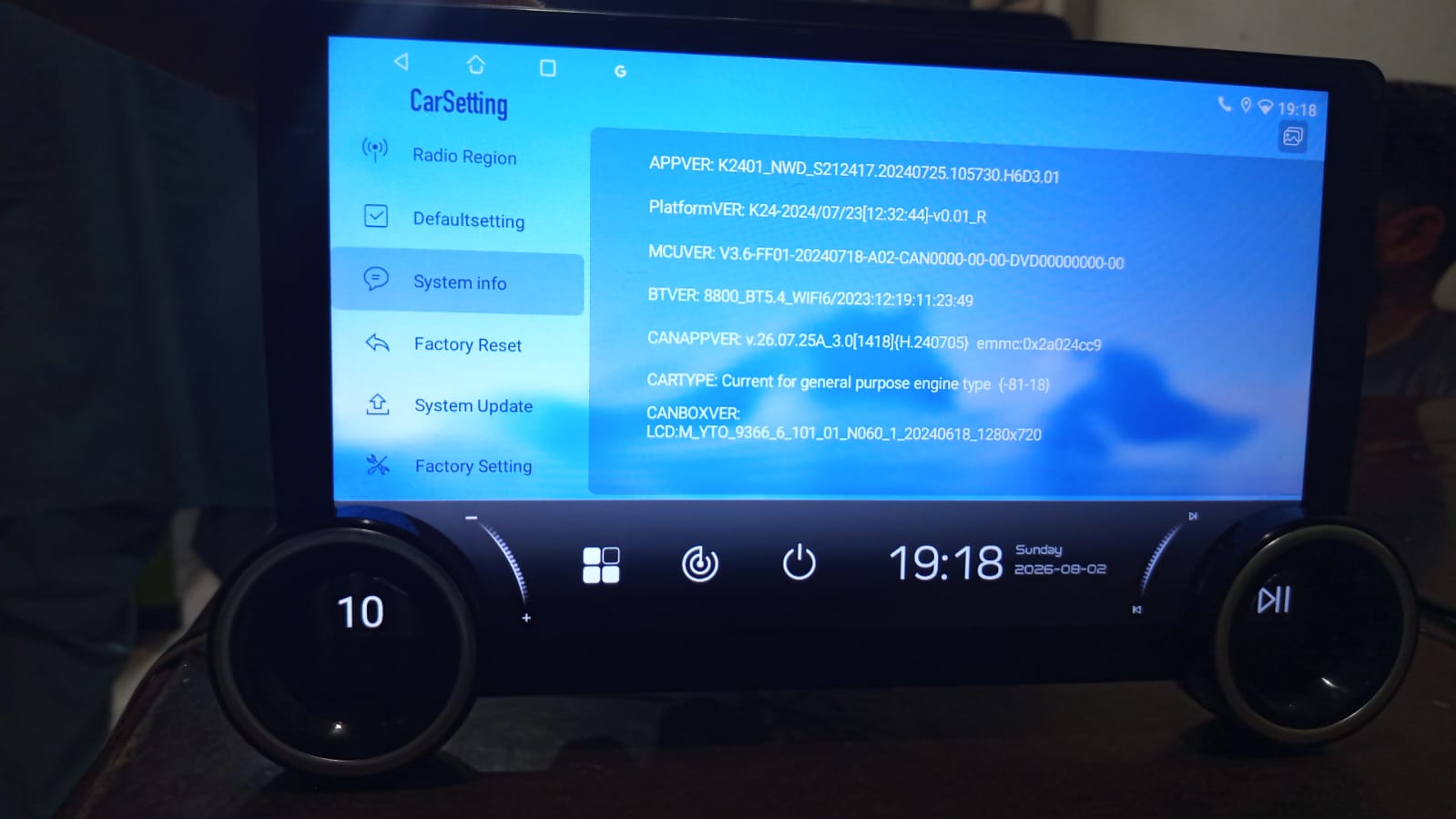
- Reading the existing firmware information
- Matching the correct K2401_NWD firmware package
- Verifying UI compatibility for the Diamond dual-knob model
This process ensures that the correct firmware is selected, minimizing the risk of further software corruption.
Need Help With Your Android Head Unit?
If your Android head unit is experiencing any of these problems:
- Stuck on logo
- Boot loop
- Black screen
- Wrong firmware
- Touch not working
- No sound
- UI mismatch
- MCU issues
- Failed firmware update
- We can help diagnose and restore your unit with the correct firmware.
Firmware Repair Procedure
After confirming the hardware details, we prepared the correct firmware package specifically for this model.
The repair process included:
- Preparing the correct USB firmware
- Installing the firmware using the USB update method
- Restoring the original Diamond user interface
- Verifying touchscreen functionality
- Testing the dual rotary knobs
- Confirming CAN communication
- Performing complete system stability testing
Once the installation was complete, the head unit booted successfully into Android without any errors.
Remote Firmware Recovery Service
If your Android head unit is experiencing software problems, you don’t always need to ship the device to us.
We provide professional remote firmware repair services for many Android head units.
We can assist with:
- Android logo stuck
- Boot loop
- Wrong firmware installation
- Black screen after update
- Failed USB update
- MCU-related software issues
- UI mismatch
- Software recovery
Our remote assistance helps customers worldwide restore their Android head units safely.
Device Bricked During Firmware Installation?
Don’t worry.
If your Android head unit becomes bricked during a firmware installation, there is still a good chance it can be recovered.
Whether your device:
- no longer powers on,
- is stuck on the boot logo,
- continuously restarts,
- shows a black screen after flashing,
- or fails during the firmware update,
our team can help diagnose the issue and guide you through the recovery process.
Depending on your head unit model and the extent of the software corruption, we offer remote recovery assistance using the appropriate tools and recovery methods. In many cases, a seemingly “dead” unit can be brought back to life without replacing the motherboard.
Important: If your device becomes bricked, avoid repeatedly flashing random firmware files. Doing so can make recovery more difficult. Contact us first so we can identify the correct recovery procedure for your specific hardware.
Repair Results
After installing the correct firmware, the head unit was fully restored.
Successfully Fixed
✔ Android logo stuck issue
✔ Boot loop resolved
✔ Original Diamond UI restored
✔ Dual knob functionality working
✔ Touchscreen working correctly
✔ Audio and multimedia functions restored
✔ Stable Android operating system
✔ Correct hardware configuration detected
The customer received the unit in fully working condition.
Why This Happens
Many Android head units sold under different brand names use similar hardware but different firmware builds.
Installing firmware intended for another motherboard, display type, or hardware revision can cause:
- Logo stuck
- Black screen
- Boot loop
- Missing touchscreen
- No sound
- Wrong UI
- Non-working knobs
- CANBUS malfunction
- Continuous restarting
This is why firmware should always be matched to the motherboard, chipset, and hardware configuration—not just the model name.
Need Professional Help?
If your Android head unit is suffering from:
- Logo stuck
- Boot loop
- Wrong firmware
- Failed firmware update
- Black screen
- Touchscreen issues
- CANBUS problems
- MCU software issues
- UI mismatch
- Bricked after firmware installation
ANNS Solutions provides professional firmware repair and remote software recovery services for a wide range of Android car head units.
Simply send us your motherboard photos, system information, and issue details, and we’ll help identify the correct firmware and the safest recovery method.
FAQs
Why is my Diamond head unit stuck on the Android logo?
This usually happens after installing an incorrect firmware version or when the firmware becomes corrupted.
Can it be repaired without replacing the hardware?
Yes. In many cases, installing the correct firmware restores normal operation if the hardware is not damaged.
Will the original UI return?
Yes. If the correct firmware for your exact model is installed, the original interface and supported features, including the dual knobs, can be restored.


Dear Faisal,
I kindly request your assistance in finding the correct original firmware and restoration guide for my device. It was mistakenly updated with incompatible firmware set to a resolution of 1280×550. The original firmware details are shown in the attached image.
Muhammad Faheem
Reply: mfaheempk@gmail.com
Hi Faheem, yes, I can help you identify the correct original firmware and restoration procedure.
Since the unit was flashed with an incompatible 1280×550 firmware, we should first verify the original firmware and hardware details before trying another file.
Please send me the original firmware information/image and your head unit details in private chat, and I’ll review them and guide you further.
Thank you.
Faisal, Anns Solutions